
Every vibe just got a backend
Until now, a vibe was a front end with a synced database: your App.jsx runs in
the browser, Fireproof keeps everyone's data live, and access.js decides who
may write what. That covers a huge range of apps — but there was always a
category just out of reach: the app that needs something to happen when
nobody has the page open. Accepting a webhook. Reacting to a write after it
commits. Ticking once a minute.
That category just opened up. A vibe can now ship one more file — backend.js
— and it runs on our servers, at the edge, with a real database handle.
One file, three superpowers
backend.js sits next to App.jsx and access.js. Export only what your app
needs:
js// Answer HTTP at your app's own /_api URL — webhooks, form posts, JSON APIs.
export async function fetch(request, ctx) { ... }

// React after any document write commits — derive, mirror, aggregate.
export async function onChange(event, ctx) { ... }

// Run on a timer, from every 5 seconds to every hour.
export const config = { scheduled: { interval: "1m" } };
export async function scheduled(event, ctx) { ... }
Every handler gets a ctx with ctx.appInfo (which app this is),
ctx.userInfo (who the handler is acting as), and the important one —
ctx.db:
jsconst id = await ctx.db.put({ kind: "rsvp", name }, { db: "rsvps" });
await ctx.db.delete(id, { db: "rsvps" });
Those writes are real Fireproof writes. Everyone with the app open sees them sync in, the same as any user's write.
The security model is the whole point
Here's the design decision everything else hangs on: a backend write goes
through your app's own access.js — the exact same gate as a user write —
acting as the identity of whatever triggered it.
| Handler | Its writes act as… |
|---|---|
onChange | the user whose write triggered the event |
fetch | the signed-in caller when verifiable — treat as possibly anonymous today |
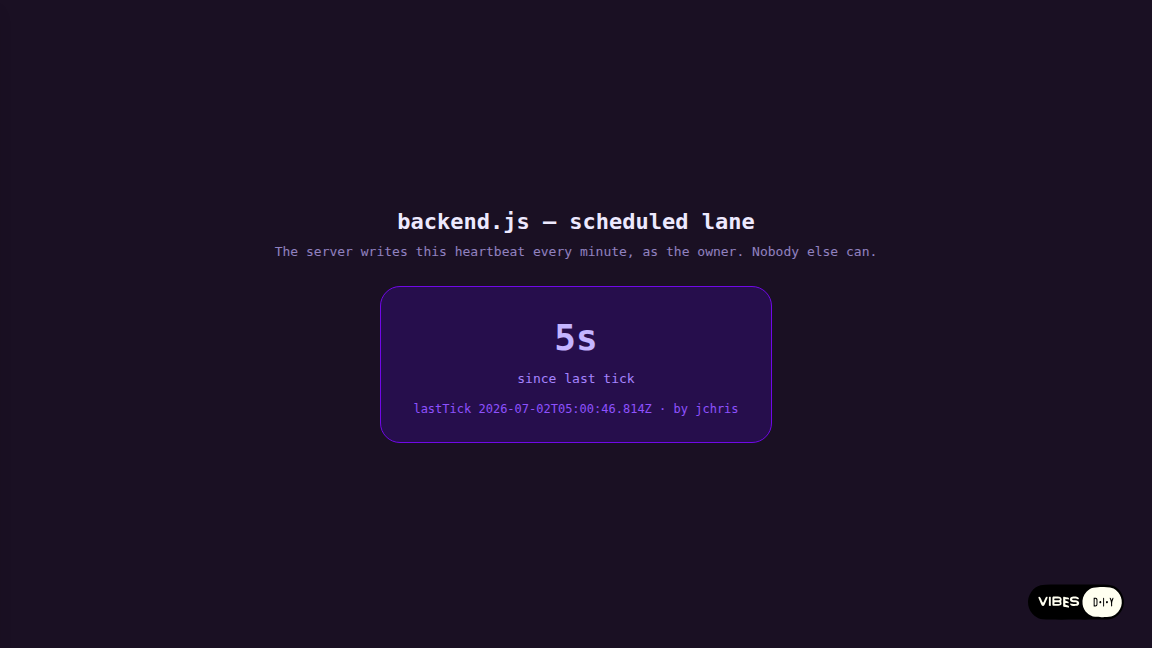
scheduled | the app owner |
There is no service key, no bypass, no second permission system. If your access function wouldn't let the triggering user write a document, the backend can't write it either. That cuts both ways, and it's worth internalizing:
- An
onChangewrite is exactly as privileged as the user who caused it — it's for derivation, never escalation. Anything the backend can write on a user's behalf, that user's own client could have written too. - For documents only the server should control — a tally, a digest, a
heartbeat — use
scheduled. It acts as the owner, and owner is an identity youraccess.jscan genuinely restrict a database to. That's what the heartbeat vibe above does:if (!user || !user.isOwner) throw { forbidden: … }, and no client can forge that document. - A
fetchhandler runs for whoever hits your URL — including nobody in particular. Anonymous writes are fail-closed: the access rule must explicitly opt in withallowAnonymous: true, or the write is denied. (We rediscovered this ourselves an hour after launch, when our own demo forgot the flag and the gate correctly refused it.)
Try it live
This embedded vibe is running its backend right now. Press the button: the
page calls fetch("/_api/hit?note=…"), the server handler writes a hit
document through the access gate, and the list updates from the live query —
server write to synced UI, end to end.
The handler behind it is the whole file:
Get posts like this in your inbox
One email field. Real updates. No algorithm required.
jsexport async function fetch(request, ctx) {
  const url = new URL(request.url);
  if (url.pathname !== "/hit") {
    return new Response(JSON.stringify({ error: "not found" }), { status: 404 });
  }
  const note = url.searchParams.get("note") || "ping";
  const id = await ctx.db.put({ kind: "hit", note, at: new Date().toISOString() }, { db: "hits" });
  return new Response(JSON.stringify({ ok: true, id }), {
    headers: { "content-type": "application/json" },
  });
}
Two details worth knowing. Your endpoint's public address is your published
app's URL plus /_api/… — that's what you hand to a webhook provider. And the
path arrives pre-stripped: a request to …/_api/webhooks/pay reaches your
handler with pathname /webhooks/pay.
Reacting to writes
onChange runs after any document write commits — user writes and backend
writes alike. The event carries { dbName, docId, doc, oldDoc, seq, deleted }.
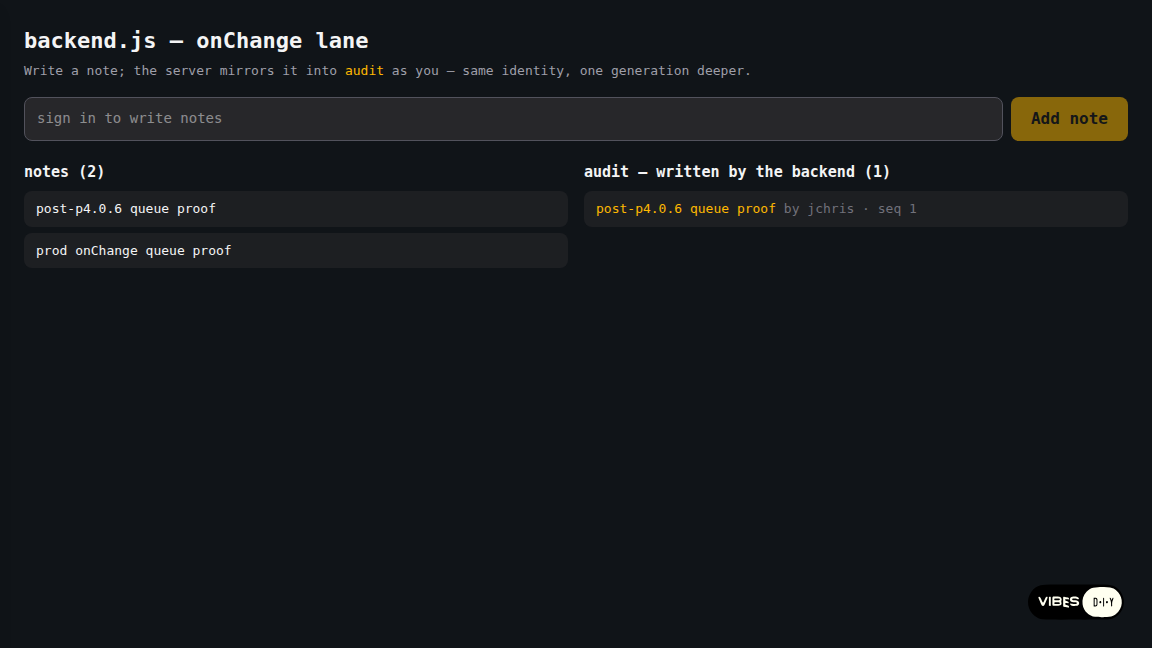
jsexport async function onChange(event, ctx) {
  if (event.dbName !== "notes" || event.deleted) return;
  await ctx.db.put(
    { _id: "act-" + event.docId, kind: "activity", srcId: event.docId, by: ctx.userInfo },
    { db: "activity" }
  );
}
Two rules keep change-reactions sane, and they're the same two that make loops
structurally impossible: guard on event.dbName first (the handler fires
for every database), and write derived documents into a different database
than the one that triggered you. Backend writes do trigger onChange again —
one generation deeper — and the platform caps runaway chains, but a guard plus
a separate target database means you never lean on the cap. Inside onChange,
the triggering database is the default for ctx.db, so cross-database writes
take an explicit { db }.
The vibe that ships this platform
The demos above are tutorials. Here's the one we actually lean on:
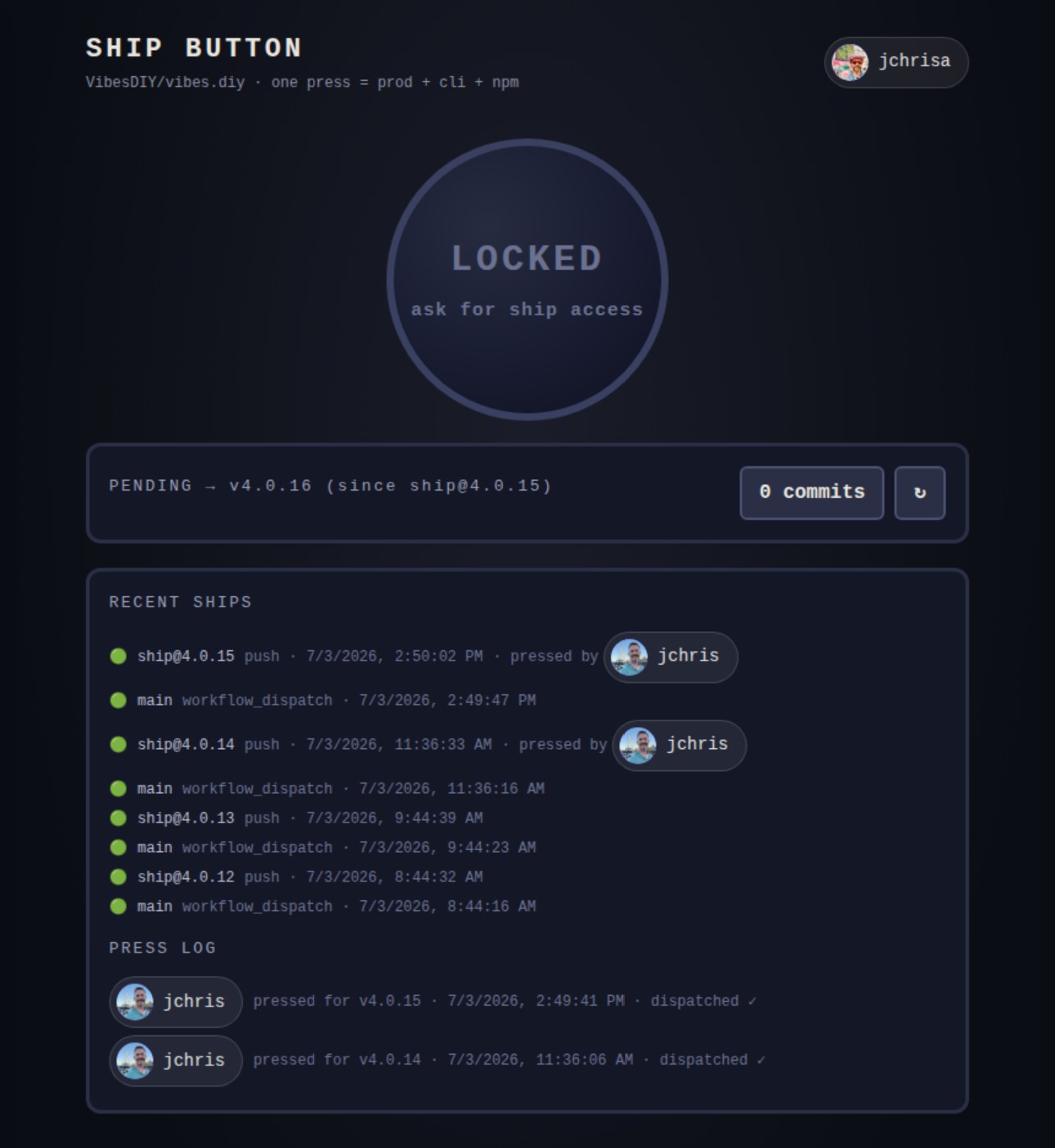
ship-button is a vibe with one
big red button that deploys VibesDIY/vibes.diy itself — prod, cli, and npm
in a single press. Pressing it doesn't call GitHub from the browser. It writes
a press document, and the vibe's backend.js reacts to the committed write
by dispatching our
ship-fanout workflow
with a GitHub token that lives in the vibe's server-side secrets. The browser
never sees the token; the press log below the button is just the same synced
database everyone else reads.
The security model from earlier is doing all the work. access.js lets only
the owner write crew documents, and each crew doc grants one handle the
right to write a press doc — so granting a teammate the power to deploy from
main is typing their handle into the app, and revoking it is deleting a doc.
Because the dispatch runs from onChange acting as the pressing user, a
press that wouldn't pass the write gate never reaches GitHub. There's no
second permission system guarding the deploy — the database ACL is the
deploy ACL. Pull the source with the CLI if you want to crib it: the whole
thing is one App.jsx, a 50-line access.js, and a 40-line backend.js.
How to get one
You don't scaffold anything. Two paths:
- Ask the builder. The app generator knows this skill — prompt for an app
that "accepts a webhook," "keeps an activity feed as notes are added," or
"cleans up expired entries every 15 minutes," and it will emit a
backend.js(and the matchingaccess.jsrules) alongside your app. - Write it by hand. Pull any vibe with the CLI, drop a
backend.jsat the root next toApp.jsx, and push:
shnpx vibes-diy pull you/your-app --dir ./your-app
cd your-app && $EDITOR backend.js
npx vibes-diy push --vibe you/your-app
The push registers your handlers and validates your schedule up front — a
scheduled export requires config.scheduled.interval as a plain string
between "5s" and "1h", and a bad interval is rejected at push time, not
silently at 3am.
The honest edges
At launch this section said backend.js had no external network egress
and no ctx.secrets. Both doors have since opened — they're what the ship
button above runs on — and they opened with the same discipline as the
database channel. Egress: a handler's fetch() goes out through a proxy with
two lanes. By default it behaves like a browser on your vibe's page — it
forwards only what the target API's own CORS policy would let that browser do,
presents your vibe's real origin, and rate-limits bursts. For server-to-server
APIs that were never meant to speak CORS, there's a
curated platform list
where hosts can send real Authorization headers — and adding a host is a
reviewed change: ask in Discord or open an
issue at VibesDIY/use-vibes.
Its seed entry is api.github.com: exactly what the ship button's dispatch
rides.
Secrets: vibes-diy secrets set MY_KEY --vibe you/your-app stores a key owner-only on the server; handlers read it as
ctx.secrets.MY_KEY. The platform never puts the value in a document, a
release hash, or the browser on its own — it exists only inside a handler
invocation, so keeping your own code from writing it somewhere is the one job
left to you (the ship button's handler reports only a status code back to the
database, never the response body, for exactly this reason). Still ahead: verified signed-in identity on the fetch lane — until
it lands, treat fetch writes as anonymous and gate them accordingly — and AI
calls, which stay in App.jsx via callAI for now.
All four apps in this post are live, and their complete source —
App.jsx, access.js, backend.js — is pullable with the CLI:
backend-fetch,
backend-onchange,
backend-scheduled, and the
ship-button we deploy with.
Give your app a server side
Prompt an app that reacts, schedules, and answers webhooks — the backend comes with it.
Start building →