Can one English prompt rebuild our festival app?
Why we tried this
For Pickathon 2025, Meghan Sinnott vibed a little schedule app in an afternoon to scratch her own itch — no hand-coding, just built on vibes.diy. Browse the lineup, star the sets you want, scribble private notes, block out your meal and volunteer times, and connect with friends so you can see each other's picks. It was never meant to be a big deal. But it got popular: people on the farm were actually pulling it up to plan their nights, sharing QR codes at the gate, comparing who starred what. A grassroots hit, from one person solving her own problem in a single sitting. That original is still live — and still pulling the real Pickathon schedule: vibes.diy/vibe/og/cosmic-anansi-3972.
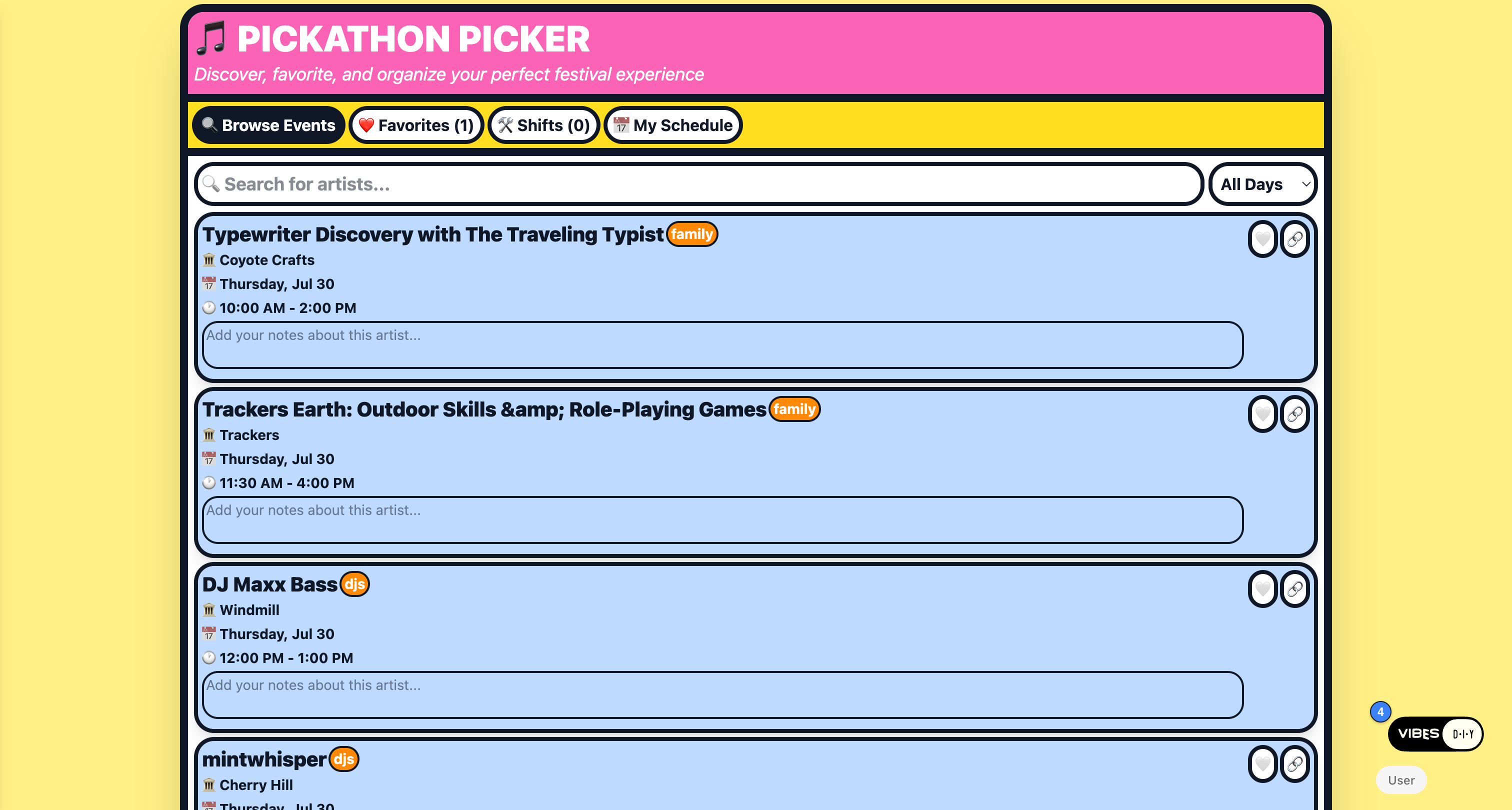
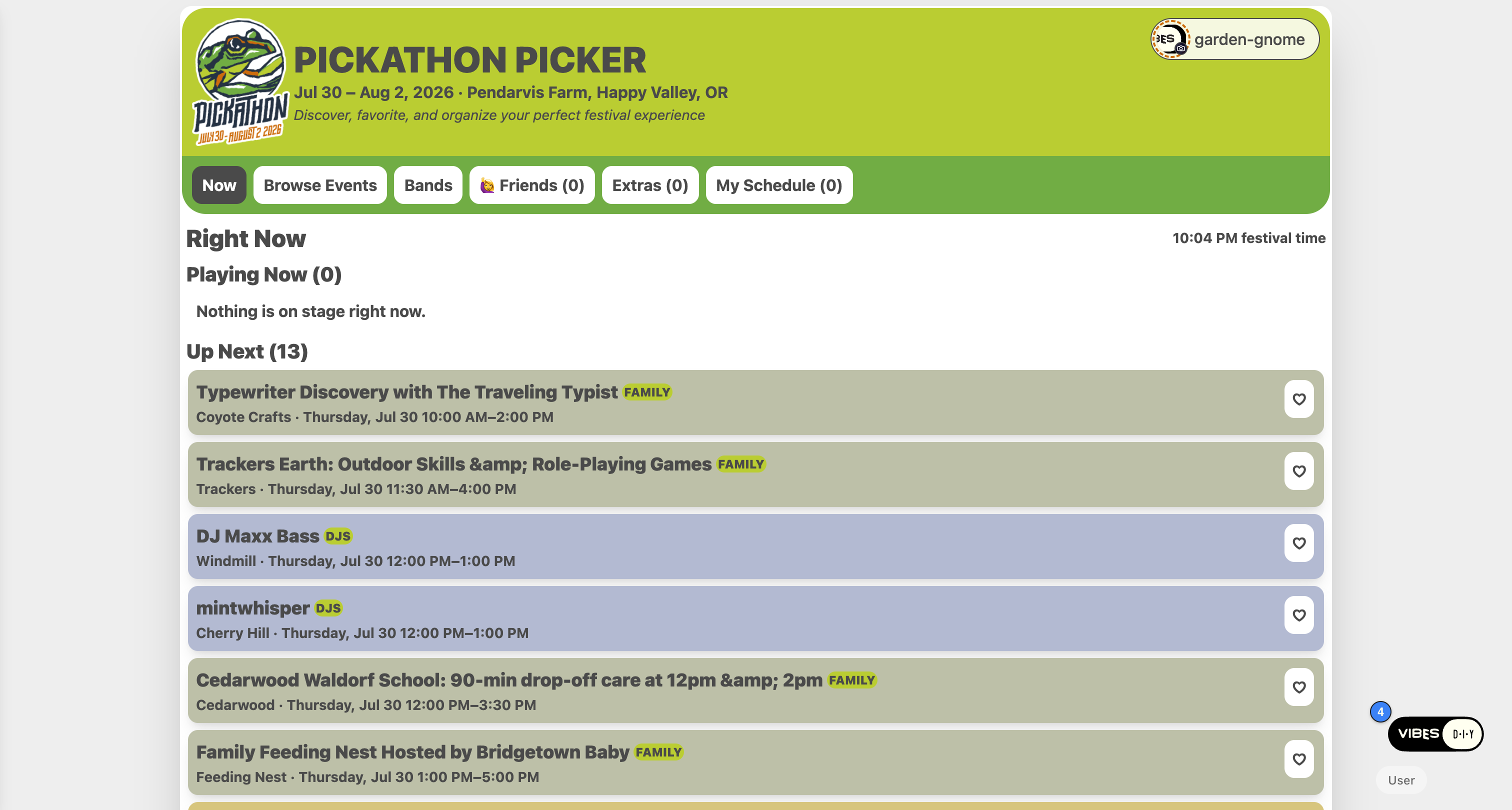
That success is why the code we have now exists. For 2026 we built it out into a proper version (live at vibes.diy/vibe/og/pickathon-picker) — still a vibe, but a fully-featured one: a React component, a Fireproof data model with four document types, and an access.js that encodes a genuinely fiddly permission model (some data public, some private, some shared only between connected friends). It even picked up a borderless restyle and system dark mode this spring.
So here's the twist that made this worth doing: the 2026 app is itself the product of iterative vibing — many prompts and edits layered over time. With the gates still weeks away, we wanted to know: could a single, well-aimed prompt recreate the whole thing in one shot? Not the pixels — we don't care about looks here — but the parts that are actually hard to get right: the data structures, the main views, and the access policy.
What "the same app" actually means
Before writing any prompt, we wrote down what the 2026 vibe does under the hood.
Document types (Fireproof):
favorite— a starred set. Public — everyone can read everyone's stars, which is what powers "12 people picked this" and "your friend starred this."note— a private note on a set. Only the author can read it.shift— a personal time block (a meal, a volunteer shift). Private, but optionally shareable with friends.friend— a connection between two people. Grants each side read access to the other's private channel.
Main views: Now (playing now / up next), Browse, Bands (by artist), Favorites, Friends, Extras (your blocks), My Schedule (a merged timeline).
The access policy (access.js) is the crux. In English:
- You must be signed in to write anything.
- Stars are public.
- Notes and time blocks are private to you.
- A friend connection opens a two-way window between your channel and theirs.
That last part — channel isolation plus a bidirectional grant — is the kind of thing you'd normally expect to have to write by hand.
The process
We used the generator's own CLI, the same one the eval harness uses:
shnpx vibes-diy@latest generate "<prompt>" --app-slug <slug> --verbose
npx vibes-diy@latest pull <slug>   # download App.jsx + access.js to inspect
For each prompt we generated the app, pulled the files, read the access.js and the data layer, then loaded the deployed app in a real browser to confirm it rendered and the data actually flowed. We ran the shorter prompts more than once to get a feel for variance.
Crucially, the prompts contain no code and no field names — just the kind of sentences a product person would say out loud. The generator's system prompt has been taught to treat sharing language ("public," "only I can see," "shared with friends") as a signal to emit an access.js, so the whole experiment is really a test of whether plain intent maps to the right permission model.
Round 1 — just describe it (no code, no URL)
We wrote two prompts: a fuller one (136 words) and a deliberately tight one (93 words).
Prompt A (fuller):
A music festival schedule planner. People sign in to save anything. Fetch the festival lineup and show what is playing right now and coming up next, let anyone browse every set and browse by artist. Signed-in users can star sets they want to see; stars are public so everyone sees how many people starred each set and which sets their friends starred. Users can write private notes on any set that only they can read. Users can add their own personal time blocks like meals or volunteer shifts that are private but can be shared with friends. Two users connect by sharing a link or QR code, and once connected each can see the others stars and shared blocks. Include a personal schedule view that merges a users starred sets and shared blocks into one timeline.
Get posts like this in your inbox
One email field. Real updates. No algorithm required.
Prompt B (tight, 93 words):
A festival schedule app. Sign in to save. Show the lineup with now-playing and up-next, browse all sets and browse by artist. Signed-in users star sets; stars are public, so you see how many people starred each set and what your friends starred. Add private notes per set that only you can read. Add personal time blocks that are private but can be shared with friends. Connect with a friend by link or QR code to see each others stars and shared blocks. Include a combined personal schedule of your stars and blocks.
We ran A twice and B once. All three emitted an access.js, and all three landed on the same permission model as the 2026 vibe — including the short one. Here's the access function the 93-word prompt produced (lightly trimmed):
jsexport default function (doc, oldDoc, user, ctx) {
  if (!user) throw { forbidden: "sign in" }
  const mine = `user:${user.userHandle}`
  const shared = `shared:${user.userHandle}`

  if (doc.type === "star") {            // public — everyone reads, drives counts
    return { channels: ["lineup"] }
  }
  if (doc.type === "note") {            // private to author
    return { channels: [mine], grant: { users: { [user.userHandle]: [mine] } } }
  }
  if (doc.type === "block") {           // private, opt-in shared channel
    const channels = [mine]
    if (doc.shareWithFriends) channels.push(shared)
    return { channels, grant: { users: { [user.userHandle]: [mine, shared] } } }
  }
  if (doc.type === "friendship") {      // grant the friend my shared channel
    return { channels: [mine], grant: { users: {
      [user.userHandle]: [mine],
      [doc.toHandle]: [`shared:${user.userHandle}`],
    } } }
  }
  // ...owner-curated lineup omitted
}
That is the original's model, rediscovered from a paragraph of plain English: public stars, private notes, opt-in shared blocks, a friendship doc that hands a friend read access to your shared channel.
Data types and views matched too — star (= favorite), note, block (= shift), friend/friendship, and views for now/up-next, browse + artist search, schedule, and a friends/QR panel. The one wobble: one of the three runs dropped the private note type, so it's worth naming notes explicitly.
The one consistent divergence: every Round-1 app turned "show the lineup" into an owner-seeded list of demo sets (a fifth, owner-only doc type) instead of fetching the real schedule. A reasonable reading of an ambiguous instruction — but not what the original does.
Round 1 verdict: ~90% of the way there — data model, views, and access policy — with zero technical vocabulary.
Round 2 — hand it the URL and the schema
To close that last gap we gave the model the real data source and one sentence describing its shape. The 2026 vibe fetches https://pickathon.com/wp-content/plugins/pickathon/schedule.php, which returns an object keyed by venue, each venue holding an events array.
Prompt C added exactly that (everything else unchanged):
...Load the lineup by fetching this JSON URL:
https://pickathon.com/.../schedule.phpand cache it in the browser. The JSON is an object keyed by venue slug; each venue has a title, a color, and an events array; each event has an id, a title, start and end timestamps in the format "2026-07-30 10:00:00", a url, and a lineup object with an id like music, djs, or family and a color. Flatten every venue into one combined list of sets, and treat the lineup id as the category...
The generated code did precisely the right thing:
jsfunction flattenLineup(data) {
  const out = []
  for (const venueSlug of Object.keys(data || {})) {
    const venue = data[venueSlug]
    if (!venue?.events) continue
    for (const ev of venue.events) {
      out.push({
        id: ev.id, title: ev.title,
        venue: venue.title, venueColor: venue.color,
        category: ev.lineup?.id || "music",
        // ...start/end parsed from "2026-07-30 10:00:00"
      })
    }
  }
  return out
}
It walks the venues, flattens the events, maps lineup.id to a category, caches to localStorage, and drops the owner-managed lineup doc type entirely — because the lineup is now fetched, exactly like the original.
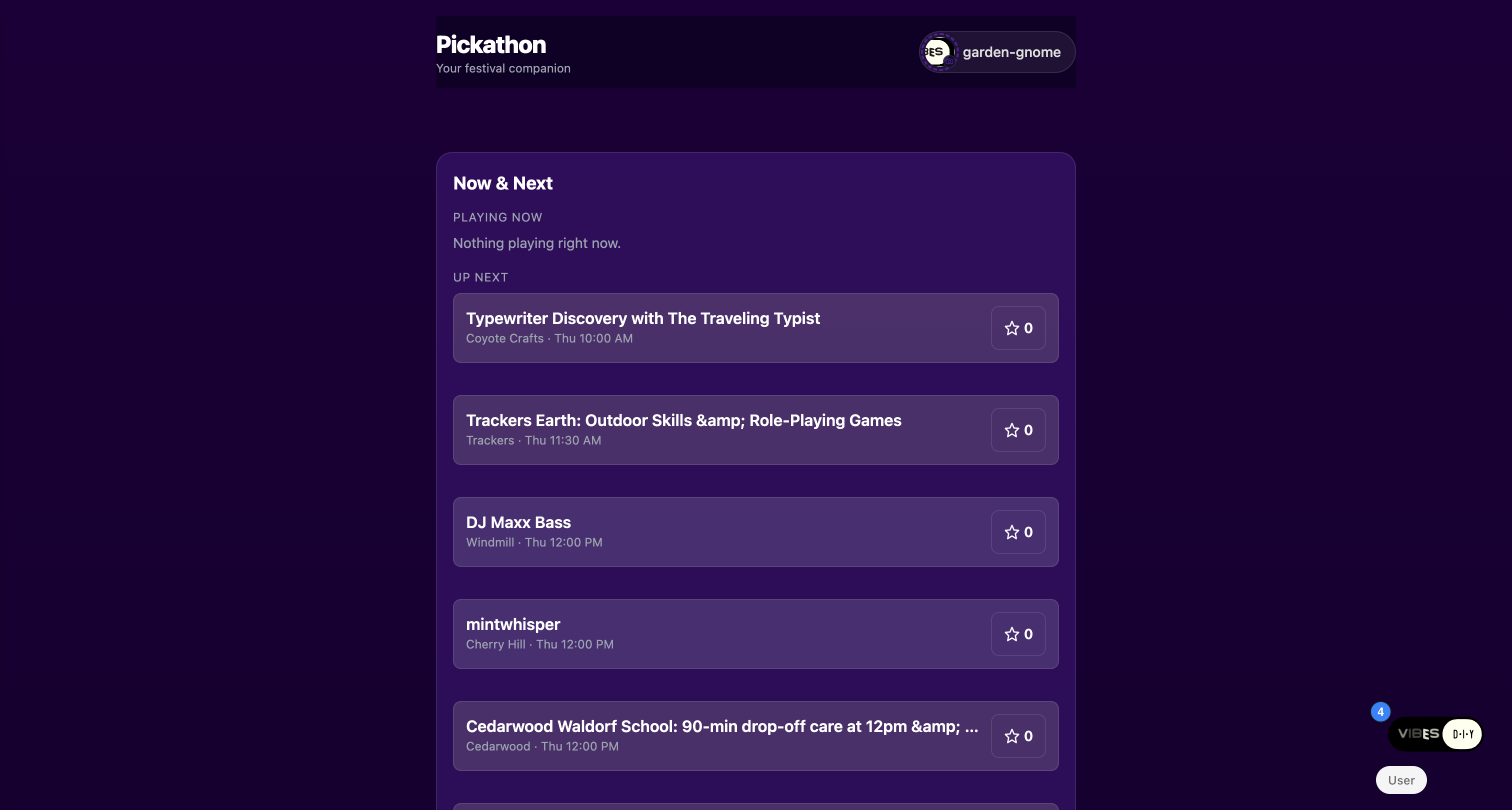
And in the browser, it just worked: the app loaded the live Pickathon schedule — all 249 real sets. "Typewriter Discovery with The Traveling Typist" at Coyote Crafts, Thursday 10:00 AM. DJ Maxx Bass, mintwhisper, Shakey Graves, Mary Halvorson — the real lineup, each row with a public star count, an artist search box, and category filters for family / djs / music. The "My Schedule" panel had blocks with a category dropdown and a "Share with friends" checkbox; the "Friends" panel had a QR code and a share link.
Scorecard
| Axis | Round 1 (describe only) | Round 2 (+ URL & schema) |
|---|---|---|
| Data structures | ★★★★☆ (owner-seeded lineup) | ★★★★★ (fetched + flattened) |
| Main views | ★★★★★ | ★★★★★ |
access.js policy | ★★★★★ | ★★★★★ |
| Real festival data | — | ✅ 249 live sets |
Apps, screenshots & artifacts
Everything here is live and clickable — open any of them, sign in, star a few sets.
| What | Live app | Screenshot | Prompt |
|---|---|---|---|
| 2025 original (Meghan's afternoon vibe) | og/cosmic-anansi-3972 | view | — |
| 2026 build (the target) | og/pickathon-picker | view | — |
| Round 1 — fuller prompt | eval-fest-a1 · a2 | — | Prompt A (136 words) |
| Round 1 — short prompt | eval-fest-b1 | — | Prompt B (93 words) |
| Round 2 — URL + schema | eval-fest-c2 · c1 | view | Prompt C (228 words, + URL) |
What we learned
- Sharing language is a programming language now. "Stars are public," "notes only you can read," "blocks you can share with friends," and "connect by link to see each other's" deterministically produced public channels, owner channels, opt-in shared channels, and bidirectional grants — across every run, including the 93-word prompt. The hard, fiddly
access.jswas the most reliable part to reproduce. - Name every data type you care about. The lone failure mode was a run silently dropping private notes. One clause fixes it.
- A URL plus a one-sentence schema beats a long description. The single biggest jump in fidelity came not from more feature prose but from telling the model where the data lives and what shape it is. That one paragraph turned a plausible demo into a near-exact functional clone that loads the real schedule.
- What's left is cosmetic, not structural. The remaining differences were naming (
connectionvsfriend) and a bonus feature one run invented (caching the fetched lineup as a shared Fireproof doc so peers don't each re-fetch). Nothing missing — a couple of things extra.
A year ago this was an afternoon vibe by one festival-goer scratching her own itch. Today, the parts that made it worth building — the data model and the permission rules — fall out of a single paragraph you could say to a friend. The grassroots hit didn't need an engineer in 2025, and it needs even less of one in 2026.
Try it with your own idea.
Type one sentence. Get a working app — data model and all.
Start building →