
How we batch-upgrade apps with screenshots
This site you're reading embeds hundreds of live Vibes apps — games, trackers, schedule boards, party tools, one per card across dozens of landing pages. They get generated fast, and fast-generated apps have rough edges: a button hugging the viewport edge, text that's white-on-pale, a game board that overflows on mobile. Polishing them one by one, by hand, in a browser, would be a full-time job nobody wants.
So we don't. We let an agent do it — and the trick that makes that possible is that every deployed Vibe is both visible and editable over plain HTTP.
Two URLs are the whole story
Each deployed app serves two things an agent cares about:
- A live screenshot at
/screenshot.jpg— a real render of the running app, regenerated server-side after every deploy. - Its own source at
/App.jsx— the single React file that is the app (Vibes apps are one file, no bundler).
That's a closed loop. The agent can see the app (read the screenshot) and change it (edit the source and push), with no browser, no human pointing at things, and no design spec — just "look, this is wrong, fix it, look again." It's the same loop a person does with their eyes and a code editor, except an agent can run it on forty apps before lunch.
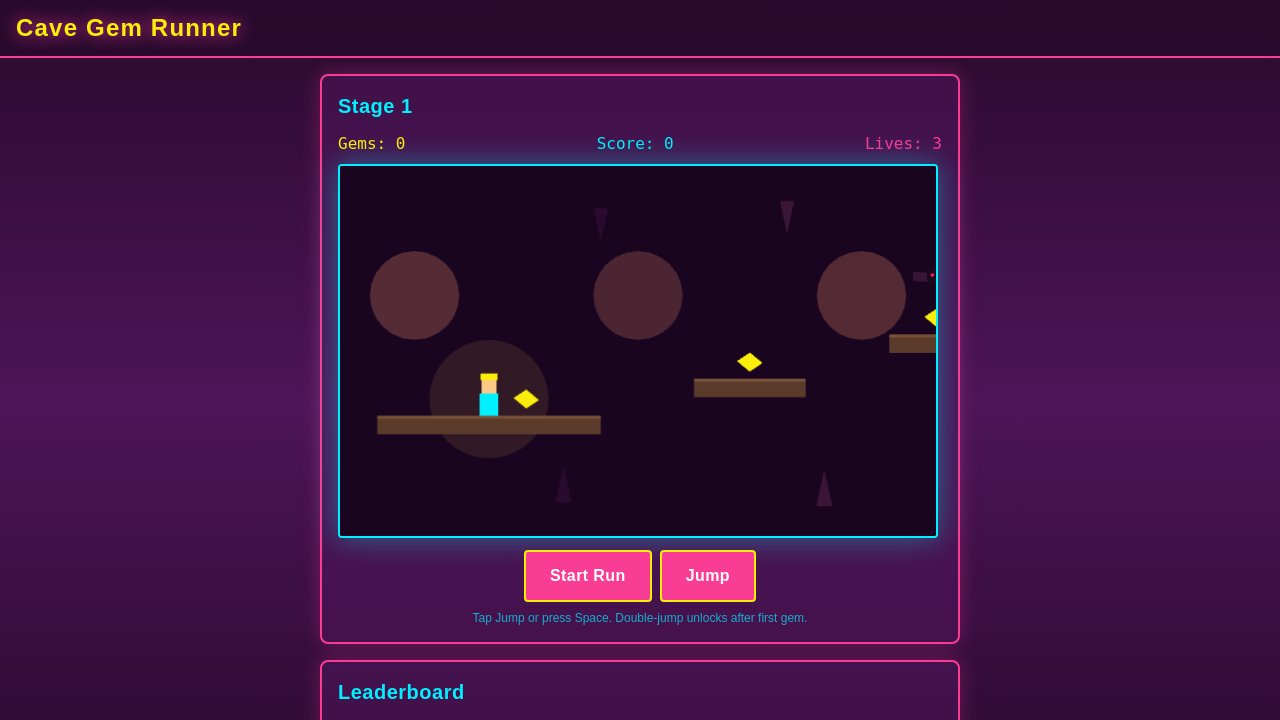
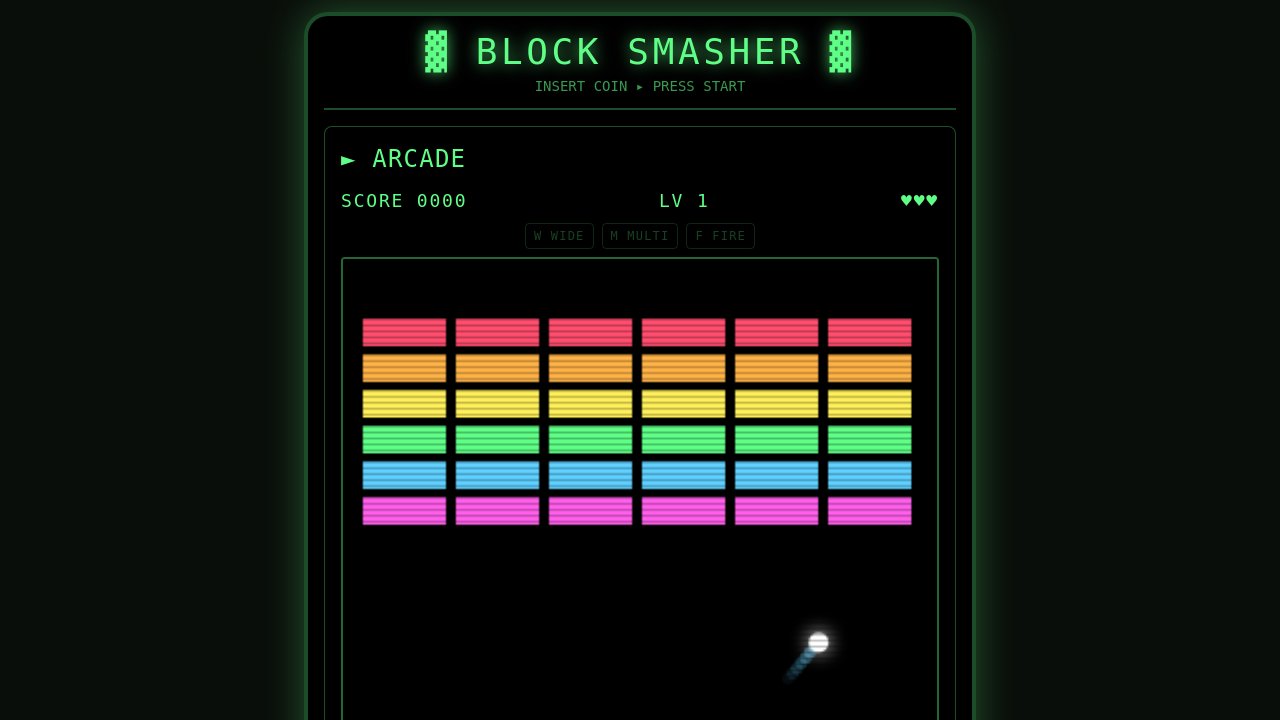
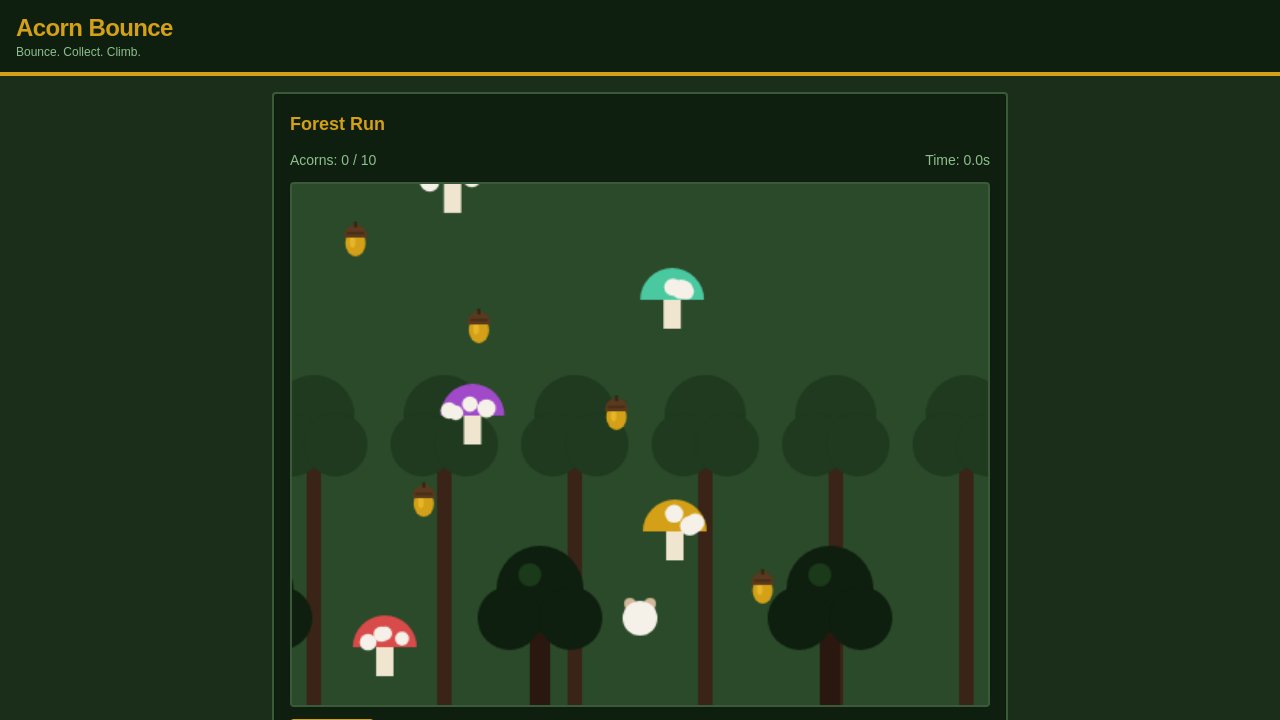
Here's what "see the app" actually looks like — three live /screenshot.jpg renders pulled straight off apps embedded on this site. This is the exact image an agent reads on each pass:
Get posts like this in your inbox
One email field. Real updates. No algorithm required.
The single-app loop
One app at a time, the cycle is five moves:
/screenshot.jpg, read it.App.jsx — just that one thing.Step one has a sharp edge worth calling out, because it's where naive versions of this break:
sh# -f makes curl FAIL on 4xx/5xx and write nothing, instead of
# silently saving a JSON error body as "screenshot.jpg"
curl -sfL "https://<slug>--<author>.prod-v2.vibesdiy.net/screenshot.jpg" \
  -o /tmp/<slug>.jpg || echo "no screenshot yet"

# always confirm it's a real JPEG before you Read it
wc -c /tmp/<slug>.jpg && file /tmp/<slug>.jpg
# Good: >5KB, "JPEG image data"   ·   Bad: file absent, or JSON
If you skip the verify and hand a 2KB JSON error to an image reader, the agent "sees" garbage and starts fixing problems that don't exist. The -f flag plus a one-line size/type check is the difference between a loop that self-corrects and one that hallucinates.
Editing is ordinary: App.jsx is plain React, so the agent makes a focused change — bump a contrast ratio, add padding, constrain a grid's max-width. The discipline that matters is one visual issue per iteration. Batch five fixes into one edit and, if the screenshot gets worse, you can't tell which one did it. One change, one screenshot, one verdict.
Push is content-addressed, so there's no "force"
Pushing a Vibe hashes every file, and the deploy's identity is derived from those hashes. Two consequences shape the loop:
- Identical bytes → no-op. If your "edit" didn't actually change the file (whitespace, or it wasn't saved), push detects it, uploads nothing, and cuts no new release. There's no
--forcebecause there's nothing to force — change the bytes and you get a release. - Any real change → new release. Every genuine edit deploys and triggers a fresh screenshot. So a "screenshot looks unchanged" after a confirmed push almost always means the edit didn't land — wrong directory, or no real diff.
And the directory thing is the single most common foot-gun: push reads the files in the current directory. Run it from the repo root instead of the app folder and you deploy the wrong (or an empty) file set, the push "succeeds," and nothing changes. Always cd into the app first.
Now do it forty times at once
The loop is the same whether you run it once or in bulk — bulk just adds fan-out. The apps on a given hub are already grouped into categories (each landing page is a cluster of four-or-so apps), and the slugs are sitting right there in the page templates. So the batch version is:
- Map slugs to categories by grepping the cluster's
.hbspages for the app subdomains. - Pull every
App.jsxlocally (each live deploy serves its source at/App.jsx), so the agents have files to edit. - Dispatch one sub-agent per category — eight agents, ~four apps each — and let every agent run the five-move loop on its apps independently. No shared state between categories means they run fully in parallel.
The unit of work is one app's screenshot loop; the unit of scale is one agent per category. Forty apps polish in roughly the time the slowest single app takes — not forty times longer.
Each agent gets the same instructions a person would: here are your slugs and their local files, here's how to fetch a screenshot and how to push, fix one thing at a time, verify after each push. Because the feedback is visual and self-checking, the agents don't need a human in the loop — they can tell whether their own change helped by looking at the next screenshot.
The pitfalls, collected
Most of what can go wrong is mechanical, and each symptom has a tell:
| Symptom | Cause | Fix |
|---|---|---|
| Push succeeds, screenshot unchanged | Ran push from the wrong directory — wrong file set | cd into the app dir first |
| Push reports a no-op | Content-hash dedup — the bytes didn't change | Make a real edit, save, re-push |
| Agent "sees" nonsense | A 4xx error body got saved as the JPEG | Use curl -f + check file says JPEG before reading |
| Screenshot lags the deploy | Render is server-side async | Wait ~8s after push, then re-fetch |
| Confirmed push, app still wrong | A stuck slug | Redeploy under a fresh slug |
Why this works at all
The deeper point isn't the curl flags — it's that a deployed Vibe is a complete, inspectable artifact. It renders itself to an image and serves its own source, so improving it doesn't require any privileged access, a design system, or a running dev environment. That's what turns "polish this app" into something you can hand to an agent, and "polish all these apps" into something you can hand to eight of them at once. The same property that lets you remix any app on this site — see it, open its source, change it — is what lets us keep the whole catalog looking sharp.
Every app here is yours to open.
See it, read its source, change it — the same loop, in your hands.
Start building →