VIBES.DIY For Rec Leagues · five tools
For Rec League Captains

Show up.
Play ball.

Five tools for rec league captains and coordinators — sub finder, roster builder, game day confirmation, season scoreboard, and gear checkout. One link. No app store. Works in the team chat.

Tools
Five
Scope
One job
Login
None
Season
Year-round
The Tools
01
Live

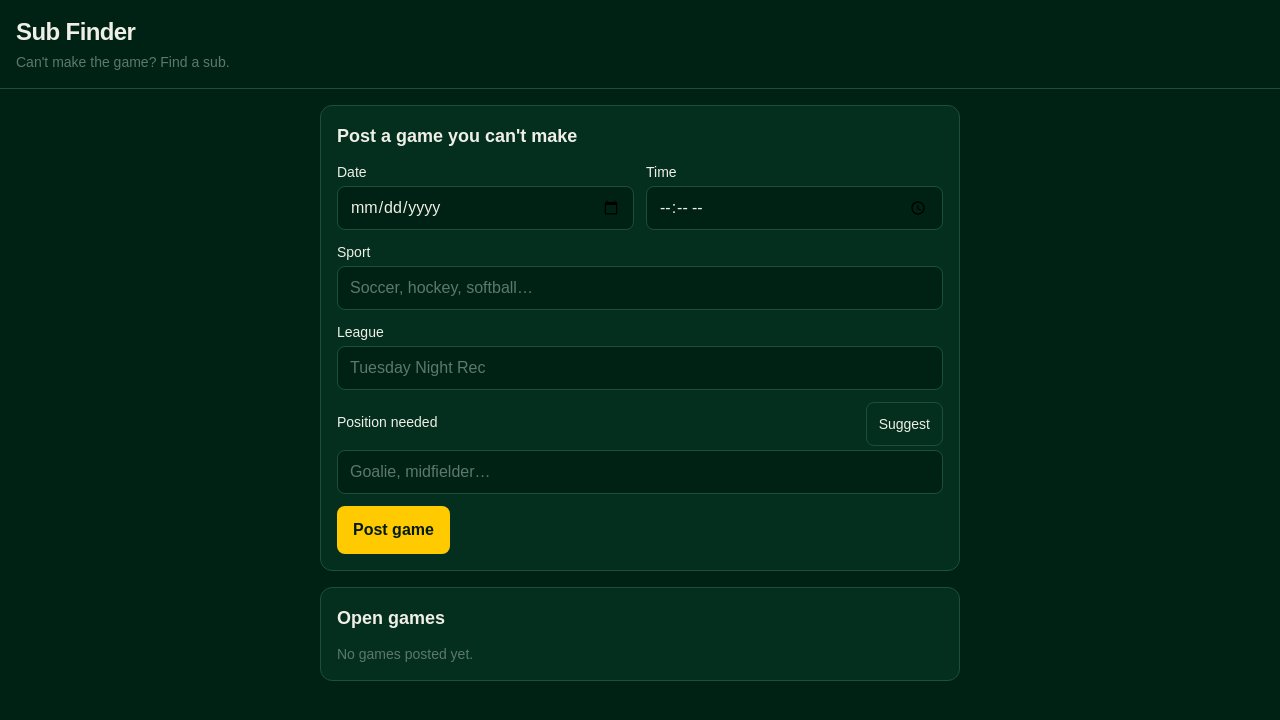
Sub Finder

Can't make it? Sub found before midnight.

Rec league substitute finder. Can't make the game? Post the game details and your position. Available subs respond with their name. One page, no account, link shared in the team chat.
02
Live

Roster Builder

Name, number, position — on one page.

Rec league team roster. Each player: name, phone, position, experience level (casual/competitive), t-shirt size. Captain can share a link for players to add themselves.

03
Live

Game Day Confirm

Know your headcount by Wednesday.

This week's game confirmation. Shows game time, field, and team roster. Players tap to confirm they're coming or mark themselves out. Captain sees headcount at a glance.

04
Live

Season Scoreboard

Wins, losses, grudge matches — all tracked.

Rec league season scoreboard. All games listed with date, opponent, and score. Anyone can update after the game. Running win/loss record at the top.

05
Live

Gear Checkout

Who has the balls. Where is the pump.

Team equipment tracker. Items: game balls, training cones, pinnies (by color), first aid kit, pump. Player checks out an item with their name. Returns it when done. What's missing at a glance.

The idea

Rec league captains run three group chats by hand every week. Who's in, who needs a sub, did anyone get the gear bag. These tools are one screen, one job — sub requests that actually get answered, rosters that stay current, headcounts before Wednesday. Your league tracks "spirit points" for showing up on time and buys the last-place team beer at the end of the season? Describe it. Clone one, make it yours.